Table of Contents
Product Management
In the Products section, you can manage your entire inventory and create new product listings. The process consists of two main screens for optimal organization.
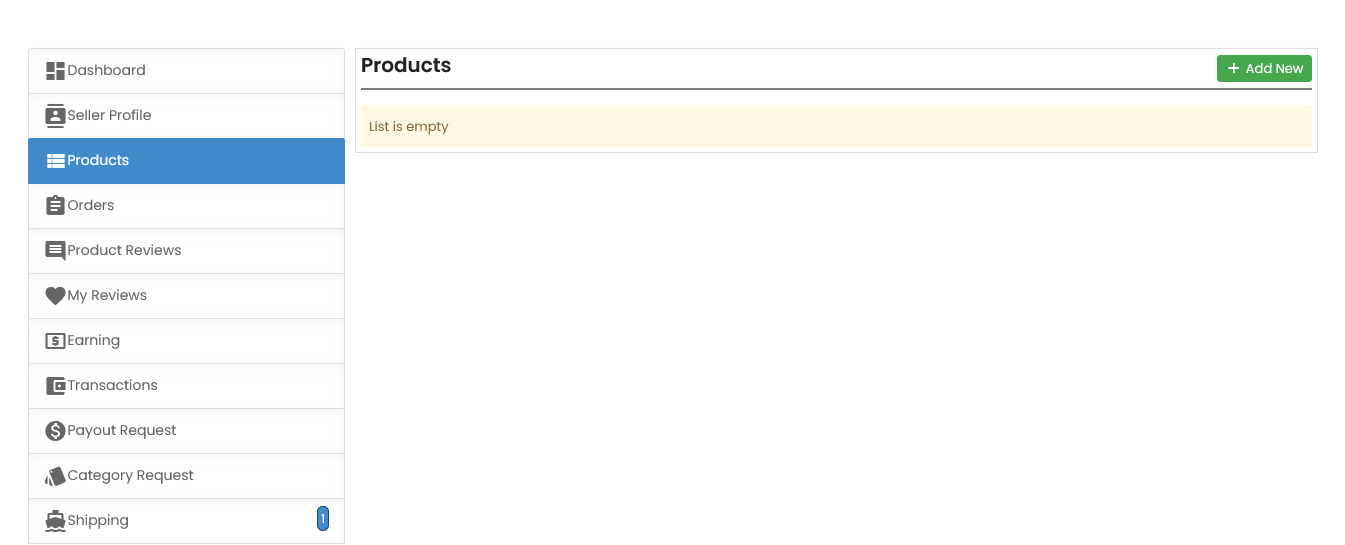
First Screen: Products Overview
This section allows sellers to manage all their listed products in one place. When you first navigate to the “Products” tab, you'll see a list of items you've added for sale.
Initial setup notes:
- New accounts will see an empty product list
- Click the “+ Add New” button to begin adding products
- View existing products with their status and details
Second Screen: Adding a New Product
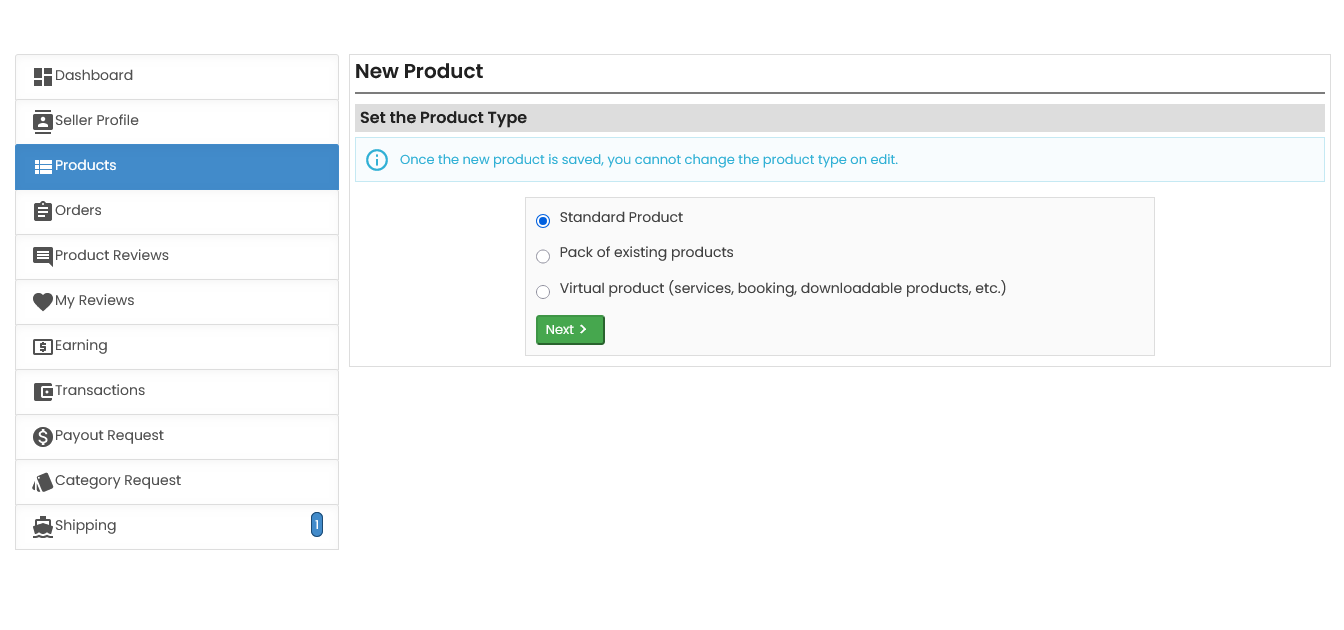
After clicking “+ Add New”, you'll be prompted to select the Product Type. ComeMarket offers multiple types of listings:
Available product types:
- Standard Product - Individual products sold as single units
- Pack of Existing Products - Bundles of multiple existing products
- Virtual Product - Services, digital downloads, or bookings
Important note:
- Select the appropriate product type carefully
- Click “Next” to proceed with detailed product information
- Product type cannot be changed after saving
 Need more help? Use the menu
  at the top to explore other topics.
To return to the trading platform, follow this link ↩ Go to Marketplace ComeMarket