Table of Contents
Managing Orders
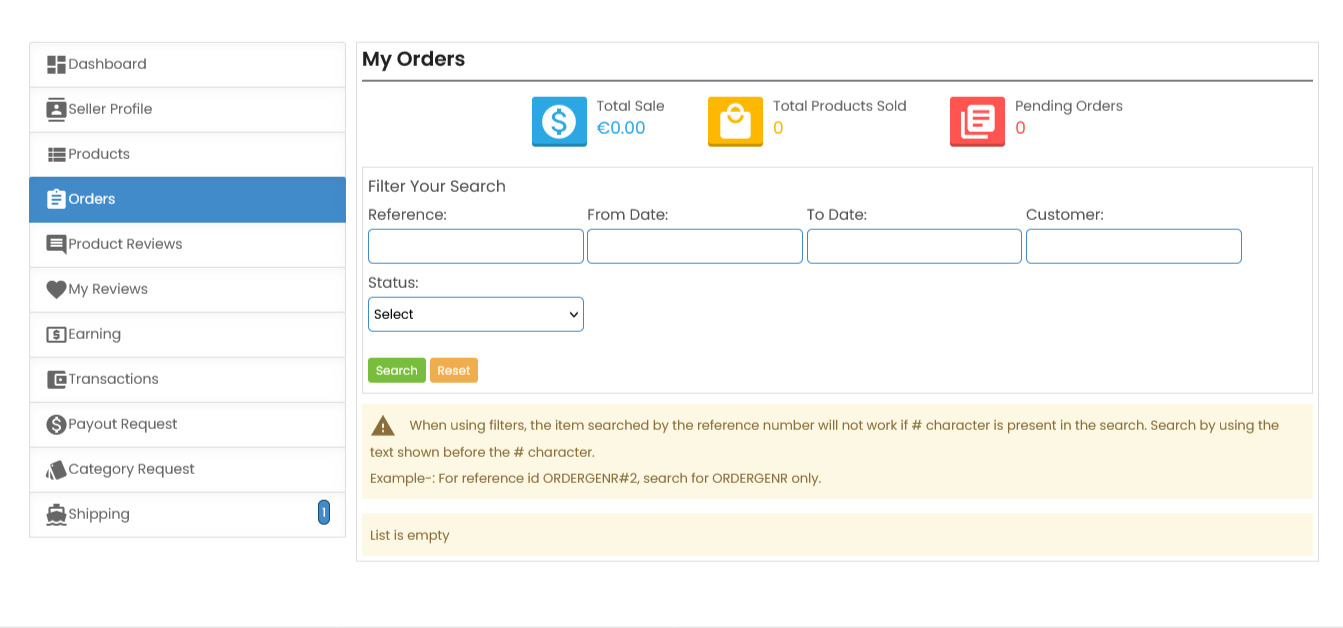
In the Orders section of your Seller Dashboard, you can view and manage all orders placed for your products on ComeMarket.
Order Overview
Quickly view your key order metrics:
- Total Sale - Your total revenue from all orders
- Total Products Sold - Number of individual products sold
- Pending Orders - Orders currently awaiting fulfillment
Order Filters
Filter orders to find specific ones quickly:
Available filter options:
- Reference - Enter order reference number (omit # symbol)
- From Date/To Date - Set specific date range
- Status - Filter by order status (Pending, Completed, Canceled)
- Customer - Search by customer name
Filter actions:
- Click Search to apply filters
- Click Reset to clear all filters
Important Note
When searching by reference number:
- Omit the # symbol in searches
- Example: Search “ORDER123” instead of “ORDER#123”
This section helps you stay organized and monitor orders efficiently on ComeMarket.
 Need more help? Use the menu
  at the top to explore other topics.
To return to the trading platform, follow this link ↩ Go to Marketplace ComeMarket