Table of Contents
Product Reviews Section Guide
The Product Reviews section in your Seller Dashboard is where you can view and manage customer feedback on your listed items. Reviews help you understand customer satisfaction and identify areas for improvement. Here’s how to use this section effectively:
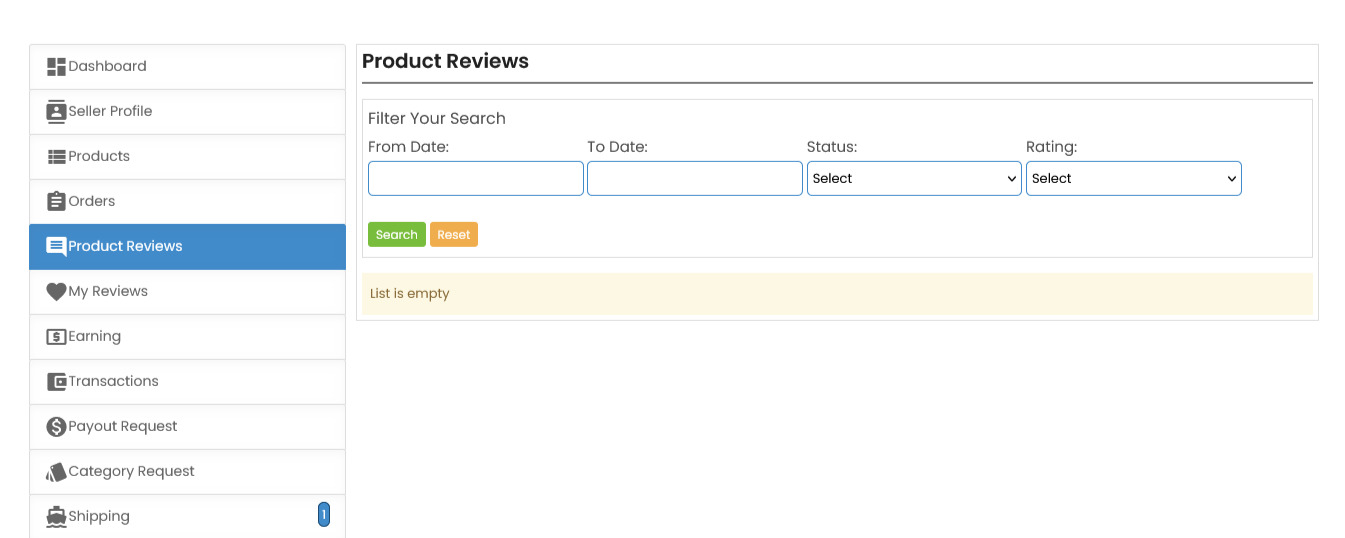
Filter Your Search
You can narrow down reviews by selecting a specific date range, status, or rating.
- Use the
From DateandTo Datefields to view reviews submitted within a particular period. - Select a review status (e.g.,
pending,published) or a star rating to focus on specific types of feedback.
Search and Reset
- After setting your filters, click the Search button to view matching reviews.
- To clear the filters and view all reviews, click the Reset button.
Understanding the List
This list will display all reviews that match your search criteria, providing valuable insights into customer experiences with your products.
- Address any negative feedback proactively to enhance customer satisfaction.
- Maintaining a positive reputation helps build trust with buyers.
Note
If the list shows as empty, it means no reviews are currently available under the selected filters.
 Need more help? Use the menu
  at the top to explore other topics.
To return to the trading platform, follow this link ↩ Go to Marketplace ComeMarket